
Introduction
In React we write Components. Then we combine these components into bigger components. Then we continue and in the end, we have a Page - a combination of many smaller components.
Understanding the different types of components in React helps to create well-designed applications and write quality code.
After reading the article, you’ll learn:
- What are Container and Presentational Components?
- How did hooks change the way we look at Container and Presentational Components?
- A better mental model for designing React Components?
- What are Stateful and Stateless Components?
Container and Presentational Components
The Container and Presentational mental model, or pattern, suggests separating the view from the application and business logic. This way of structuring our components helps to better organize our React applications. Another way of looking into these components is smart (container) and dumb (presentational).
Container components are responsible for things like state and data fetching. They care about what data is shown to the user.
Presentational components focus on how things look. They care about howdata is shown to the user.
The main idea is that some components hold our business and application logic, while others receive data through their props and visualize it.
This mental model is similar to the MVC (Model-View-Controller) structure used in back-end applications. Because this pattern is generic enough and can work almost everywhere, you can’t go wrong with using it.
However, in modern UI applications, this pattern and mental model doesn’t work well. We have a few components that hold the logic. They end up with too many responsibilities which makes them very hard to manage, extend and test. With the application’s growth and maturity, the maintainability of these places becomes a nightmare.
Example
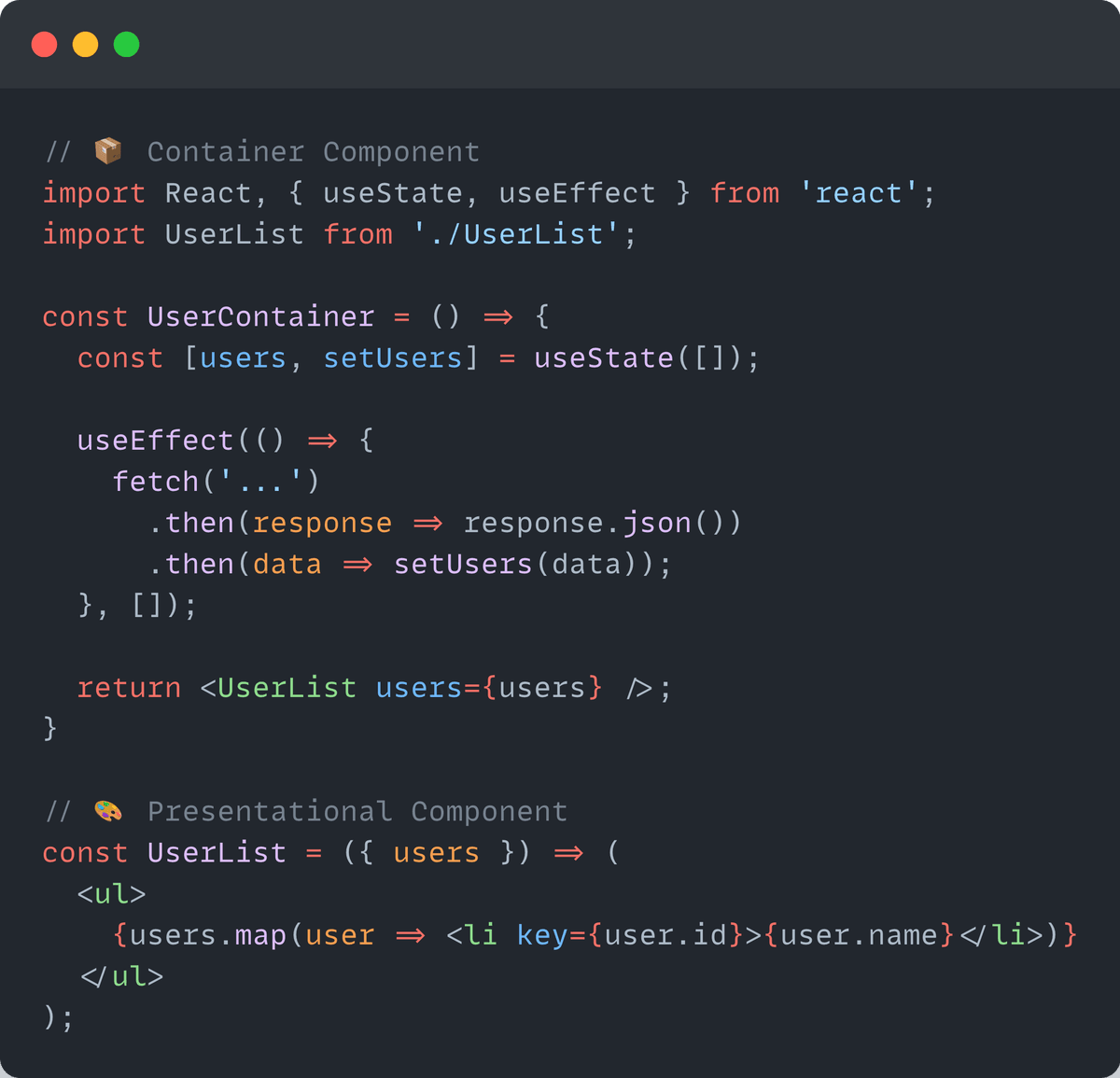
Hooks and the transition to a new mental model
With the introduction of hooks, the Container and Presentational mental model becomes slightly unnecessary. The pattern can be replaced with hooks.
Hooks made it easy for developers to add statefulness without needing a container component to provide the state.
We can refactor and simplify the example from above to:
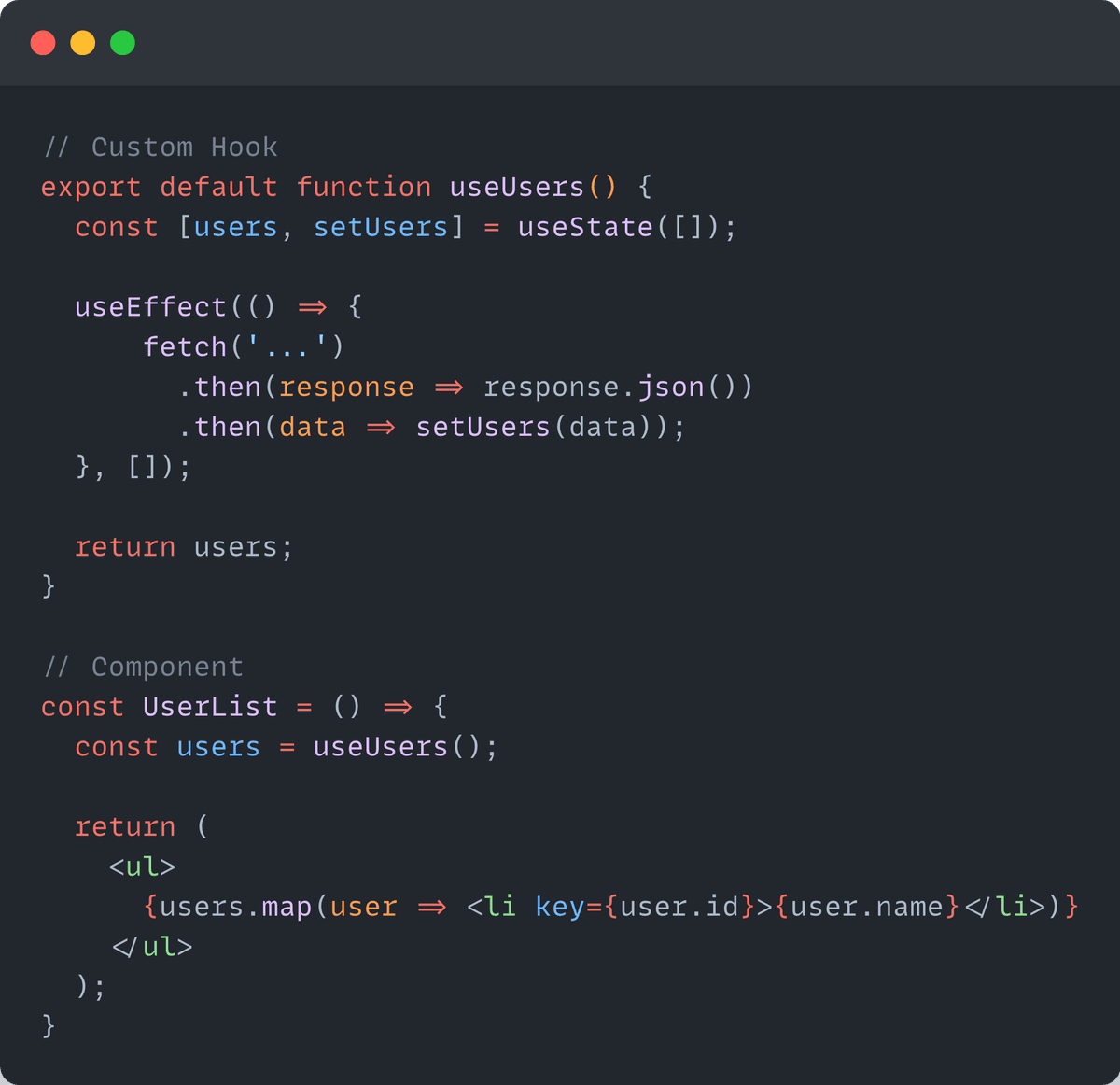
By using a custom hook, we no longer need to wrap the UserList component with a Container component to fetch the data and send it to the Presentational component (UserList).
We also don’t violate the separation of concerns principle since the business and application logic is extracted into a custom hook (useUsers), without modifying the data inside the UserList component.
Stateful and Stateless Components
The above-mentioned mental model (Container and Presentational components) suggests that you should have a few components that manage a lot of complexity while many others are only responsible for visualization.
As we discussed earlier, the Container and Presentational components mental model falls short with the maturity of the application because it’s maintainability becomes very hard.
Instead, the Stateful and Stateless components mental model suggests about spreading the complexity throughout the whole application.
The state and business logic should live as close as possible to its usage.
We should think of the different responsibilities our components have, instead of having containers. Think of the most suitable and appropriate place where aresponsibility(state / business logic), should live.
Example - <Form /> component
For example, a <Form /> component should be responsible for handling the data of the form. An <Input /> field should be receiving data from the outside and call the appropriate callbacks when a change occurs. A <Button /> should be responsible for indicating it was pressed and let the form do the necessary.
Even with the <Form /> example, we may end up with many questions regarding its design like “Who does the validation of the form? Should we add it to the <Input /> field? How do we show errors? How do we refresh the state in case of an error? If we have an error, how will prevent the submit of the form?
If we let the <Input /> field manage the validation then the <Input /> component will be aware of the business logic of our application.
In this example, the better approach is to let the <Input /> component to be stateless and leave the rest to the <Form />. The error message will be passed from the <Form /> to the <Input />, so the business logic will be inside the <Form /> and the visualization of the error will be responsibility of the <Input /> component.
Example - <ToggleButton /> component
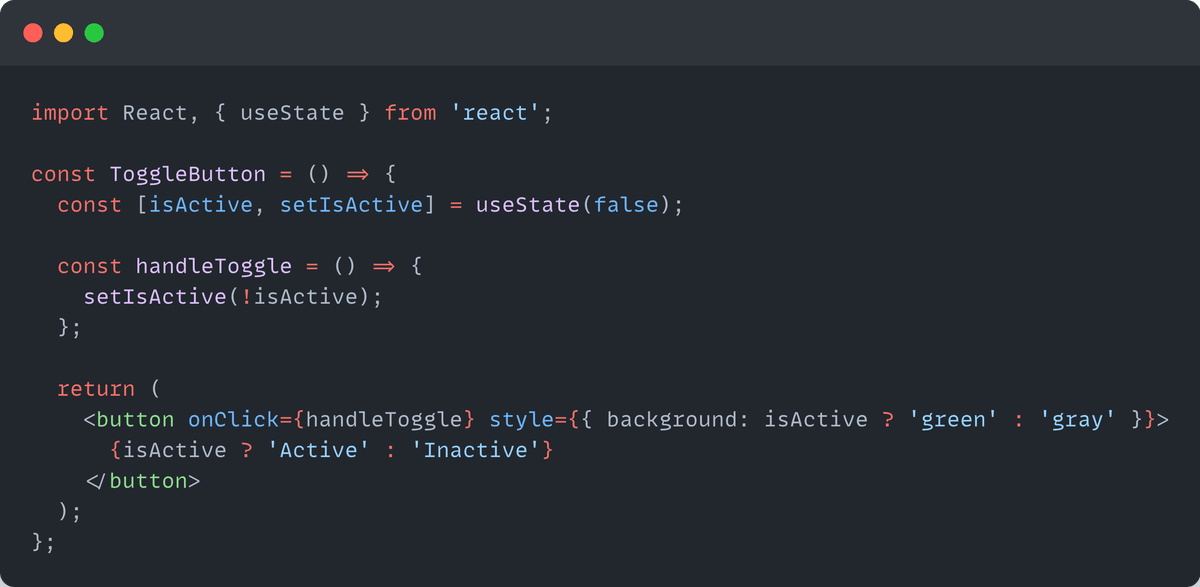
Even for a simple example like the <ToggleButton />, we have state. If we try to fit this component into the Container and Presentational components mental model, it won’t be very suitable.
However, this suits well into the Stateful and Stateless components mental model. The responsibility of whether the button is active or inactive leaves inside it.
Conclusion
Understanding these mental models in React can greatly enhance your ability to write efficient and maintainable code. By choosing the right type of component for the right job, you can keep your codebase clean and well organized.
✅ Prefer the Stateful and Stateless Components mental model.
By embracing the Stateful and Stateless Components mental model, our application becomes much easier to manage, extend, maintain and test.
We now have many components with different responsibilities, instead of a few big ones.