
The importance of having tests in place is undeniable.
However, the importance of having a fast feedback loop from your tests is usually neglected.
A fast feedback loop from tests helps developers to quickly identify and fix issues.
It improves the overall throughput of a developer.
1. Add a test:watch command for the tests
The first thing I do, when I start a new project or join an older one, is to add a jest watch command inside the package.json.
It can look something like:
{
  ...
  "scripts": {
    ...
    <strong>"test:watch": "jest --watch --verbose",</strong>
    ...
  },
  ...
}
You can learn more about the --watch and --verbose jest flags on the official Jest CLI Documentation.
When you run the test:watch command, it provides a real-time feedback and detailed output of your tests.
It will automatically rerun tests related to the changed files and speed up the feedback loop from your tests.
Usually, when I start refactoring a piece of code or start working on a new feature, I run the test:watch command and monitor how the changes impact the tests and vice versa.
2. Add a jest-watch-typeahead plugin to Jest
jest-watch-typeahead is a plugin to speed up your testing workflow.
It allows you to filter tests by file name and test name which makes it easier to run specific tests while developing.
The tool is very useful for large projects where you have hundreds of tests.
Instead of remembering specific filenames, with the jest-watch-typeahead plugin you can quickly find and run the test you need.
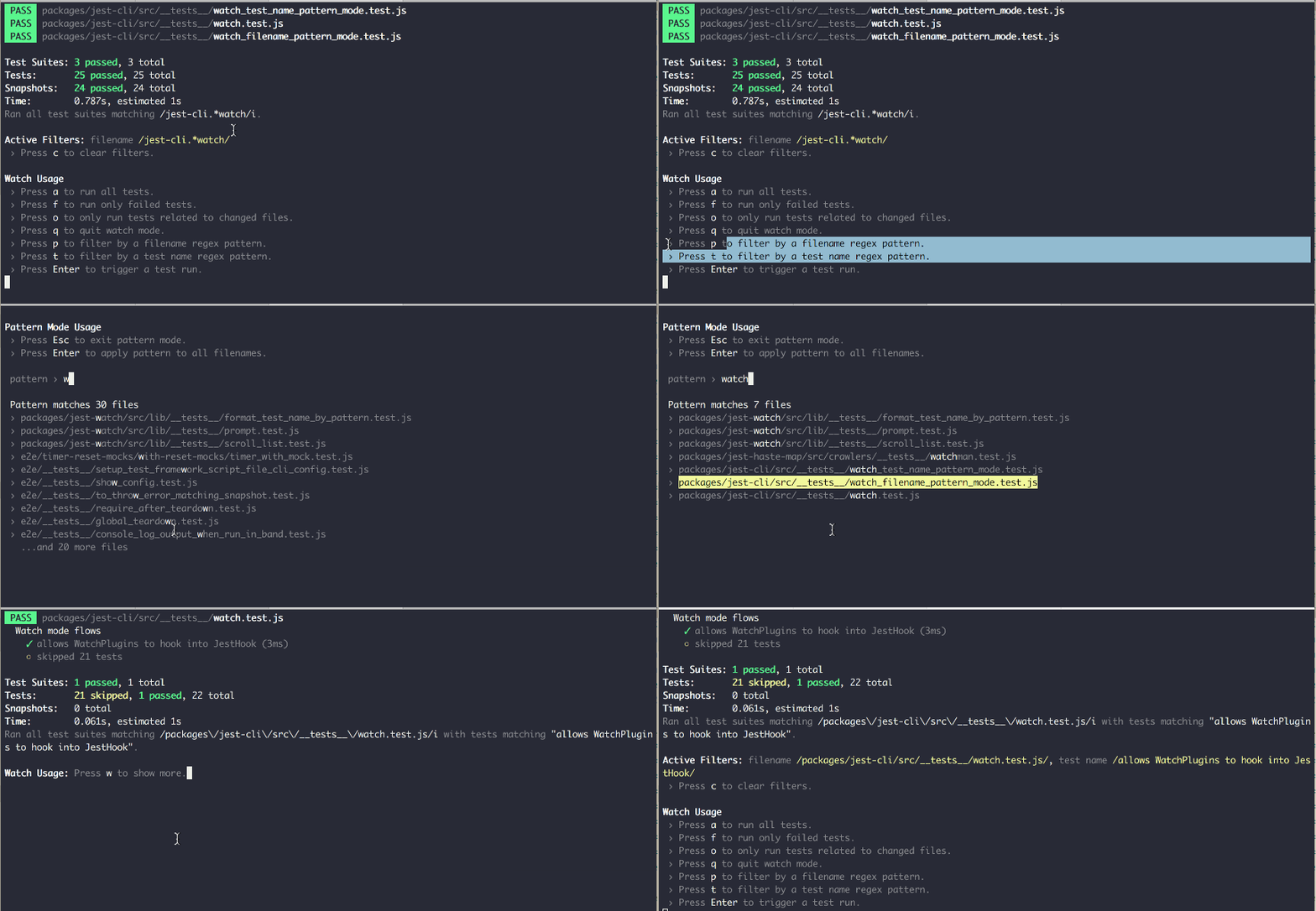 Source: https://github.com/jest-community/jest-watch-typeahead
You can find more info about the plugin and its installation here.
3. Add additional custom jest matchers
I’ve seen many codebases where several jest matchers are used to assert for something.
For example:
expect(<something>).<strong>toHaveBeenCalledTimes(1)</strong>;
expect(<something>).<strong>toHaveBeenCalledWith(<xyz>)</strong>;
You can enhance the capabilities of Jest’s default matchers by adding custom jest matchers.
jest-extended is a great package adding a set of additional matchers to make assertions more expressive and code more readable.
I’ve personally used the following custom matchers:
toHaveBeenCalledExactlyOnceWith
expect(<something>).<strong>toHaveBeenCalledExactlyOnceWith(<xyz>)</strong>;
toThrowWithMessage
await expect(
  register.execute(registerInput),
).rejects.<strong>toThrowWithMessage</strong>(
  ValidationError,
  `Must contain 8-64 characters, 1 uppercase, 1 lowercase,...`,
);
toHaveBeenCalledAfter
expect(connector.verifyMfa).toHaveBeenCalledExactlyOnceWith(
    'at',
    'abc123',
);
expect(connector.enableMfa).toHaveBeenCalledExactlyOnceWith('at');
expect(connector.enableMfa).<strong>toHaveBeenCalledAfter</strong>(connector.verifyMfa);
Here is the complete set of the additional matchers from jest-extended.
4. (optional) Automatically fail tests on console.log
Sometimes we add console.log() , console.error(), etc. while debugging, testing or even developing new stuff.
We can later forget to remove these logs and pollute the console.
In a large codebase, we can end up with the test output overloaded by a lot of errors, warnings, etc.
We can automate that through the jest-fail-on-console utility and make our jest tests fail when console.error(), console.warn(), etc. are used.
It’s crucial to keep the console clean because it helps us identify real issues quickly.
You can learn more about the package here.
⭐ TL;DR
- Add a
"test:watch": "jest --watch --verbose"command inside your package.json to speed up the feedback loop from your tests. - Add a
jest-watch-typeaheadplugin to additionally speed up your testing workflow. - Consider adding additional custom jest matchers if needed to make assertions more expressive and code more readable through
jest-extended. - Optionally, add
jest-fail-on-consoleto prevent adding code withconsolestatements and have a clear console output.